
BackendSide WebMail – Self-hosted IMAP / SMTP webmail client for Linux
BackendSide WebMail is a lightweight, self-hosted webmail client for Linux. A single self-contained binary serves a dark, three-pane web UI — no separate web server, no database, no runtime dependencies. Sign in with any IMAP / SMTP account (Gmail, Outlook, Yahoo, Fastmail, or any custom or self-hosted mail server) and read, search, write, and manage mail from the browser.
8083. Mail credentials are held in an in-memory session for the duration of a sign-in (256-bit cookie token, 24 h TTL) and never written to disk. Run behind nginx / Caddy / Traefik for TLS termination.
One-command install — from clean Linux server to working webmail in seconds
Drop the .deb or .rpm onto a clean Linux server. In a single apt install or dnf install the package will:
- Install the binary to
/usr/bin/backendside-webmail - Install the default config to
/etc/backendside-webmail/config.yaml(Gmail, Outlook / Office 365, Yahoo, and a Local / Self-hosted entry pre-populated) - Create a dedicated
backendside-webmailsystem user with strict file permissions - Install the systemd unit, enable it on boot, and start the service
- Print the full access URL
http://<host>:8083at the end of the install
Open the printed URL, pick your provider from the dropdown, enter your email and app password, and you're in.
Download BackendSide WebMail v0.1.0 (Build 019) for Linux
Packages for Debian / Ubuntu (DEB) and RHEL-based distributions (RPM)
| Distribution | Package | SHA256 Checksum |
|---|---|---|
| DEB Ubuntu 22.04 / 24.04 / Debian 12 and any Debian-based distro with systemd | backendside-webmail_0.1.0_019_amd64.deb | e7b3875a26ff72cee52908c4e213d1ab82a616a0afc2faa47c71f0db1d404cac |
| RPM RHEL 9 / 10 · AlmaLinux 9 / 10 · Rocky 9 / 10 · CentOS Stream 9 | backendside-webmail_0.1.0_019_amd64.rpm | 71ee2d0a0573671a7719c1afc416a8ffd7d11dd214d4b596654d1e4ec782b1da |
DEB Installation (Ubuntu / Debian) — one command, zero configuration
sudo apt install ./backendside-webmail_0.1.0_019_amd64.debThe installer creates the system user, installs the default config, installs and enables the systemd unit, starts the service, and prints the access URL. Open http://<your-server>:8083 and sign in.
RPM Installation (RHEL / AlmaLinux / Rocky / CentOS) — one command, zero configuration
sudo dnf install ./backendside-webmail_0.1.0_019_amd64.rpmSame behaviour as the DEB. Open http://<your-server>:8083 when the install finishes.
Changelog — what's new in each build
Full release history from Build 001 to the current Build 019 — new brand logo, attachments, RPM support, self-hosted TLS, loading indicators, security fixes, and every improvement in between.
View the full changelogUser Guide — every screen, every workflow
A walkthrough for the person sitting in front of the browser. Signing in, the three-pane layout, reading and writing mail, replies and forwards, attachments, folders, search, starring and deleting, keyboard shortcuts, mobile, and the full config reference for administrators.
Read the User GuideFeatures
- IMAP / IMAPS: Read mail from any IMAP server — implicit TLS (port 993) or STARTTLS upgrade on plain connections (port 143)
- SMTP / STARTTLS: Send mail via any SMTP server — STARTTLS submission (587), SMTPS (465), or legacy SMTP (25)
- Predefined providers: Gmail, Outlook / Office 365, Yahoo, and a Local / Self-hosted entry are pre-populated in the login dropdown — add more with one YAML block
- Custom server option: Users can type any IMAP / SMTP host, port, and TLS settings directly on the login page (administrator-controlled)
- Self-signed certificate support: The Local / Self-hosted entry and the Custom server form accept TLS certificates that don't match the connection hostname — useful for IP-only or localhost access
- Three-pane UI: Folder sidebar, message list, and reading pane, in a Navy + coral dark theme with Inter Variable and JetBrains Mono fonts. Compose opens in a floating popover.
- Live mailbox: New mail appears in the inbox automatically — folder list and unread badges update on their own, no refresh required. Browser tab title shows the unread count.
- Attachments: Paperclip in the compose window picks one or more files; each file appears as a chip with name and size. Total size shown at the end of the list and turns red over the 25 MB limit. Works for new mail, replies, forwards, and drafts.
- Folders: Auto-detected roles (Inbox, Sent, Drafts, Trash, Spam) regardless of how the server names them. Create / rename / delete user folders from the sidebar context menu.
- Search: Server-side search bar above the message list — filters by keyword, sender, date range, and unread status, with results as you type.
- Reply / Reply All / Forward: Original message quoted in the body automatically. Star, mark-unread, mark-answered flags toggleable from the list and the message view.
- HTML viewer: Remote images blocked by default with a "Load Images" button per message. Multi-part messages (plain + HTML + attachments) parsed correctly.
- Character sets: Cyrillic, CJK, Greek, Hebrew, emoji, very long lines — encoded correctly on outbound and decoded correctly on inbound.
- Keyboard shortcuts:
j/knext/previous,nnew,r/a/freply/reply-all/forward,ddelete,sstar,umark unread,/focus search,?show the full list,Escclose. - Mobile-ready: Sidebar slides in as a drawer, message view slides in from the right, top bar gets a hamburger menu and back button on narrow screens.
- Security: Passwords held in-memory only (24 h session TTL, 256-bit cookie token), STARTTLS enforced unless explicitly opted out, login rate-limit (10 / minute / IP), CSRF protection on every mutating API call.
- Single static binary: UI is embedded — no external web server, no Node, no Python, no language toolchain on the host.
.deband.rpmpackages with full systemd integration.
OS: Ubuntu 22.04 / 24.04, Debian 12, RHEL / AlmaLinux / Rocky 9 or 10, CentOS Stream 9 (x86_64)
Ports: 8083 (HTTP) reachable from your users — recommended to put a TLS-terminating reverse proxy (nginx, Caddy, Traefik) in front for HTTPS
Mail account: Any IMAP / SMTP account — Gmail, Outlook, Yahoo, Fastmail, ProtonMail Bridge, your own mail server (e.g. BackendSide MailPanel), etc.
Software Screenshots
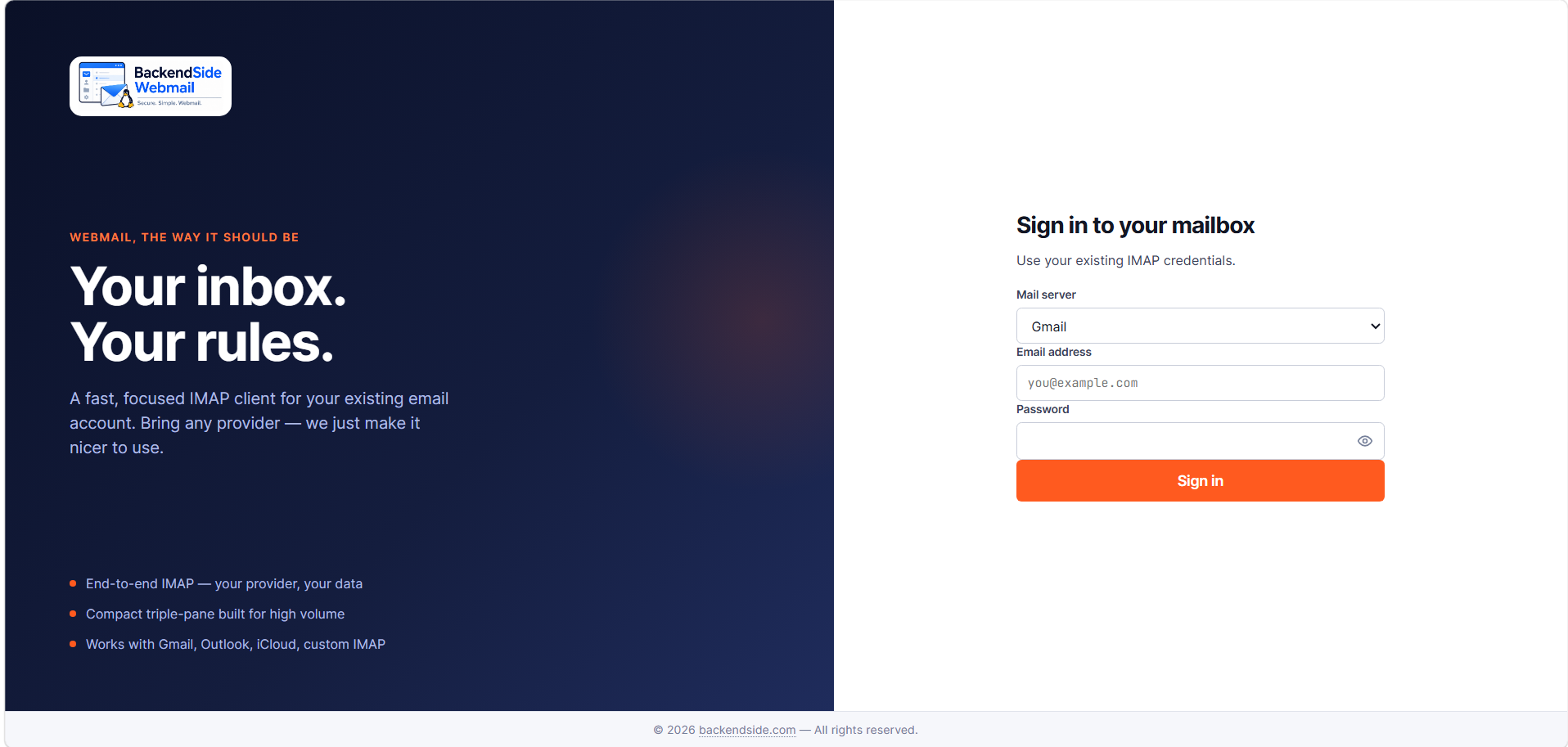
Login — split-screen sign-in for any IMAP / SMTP account
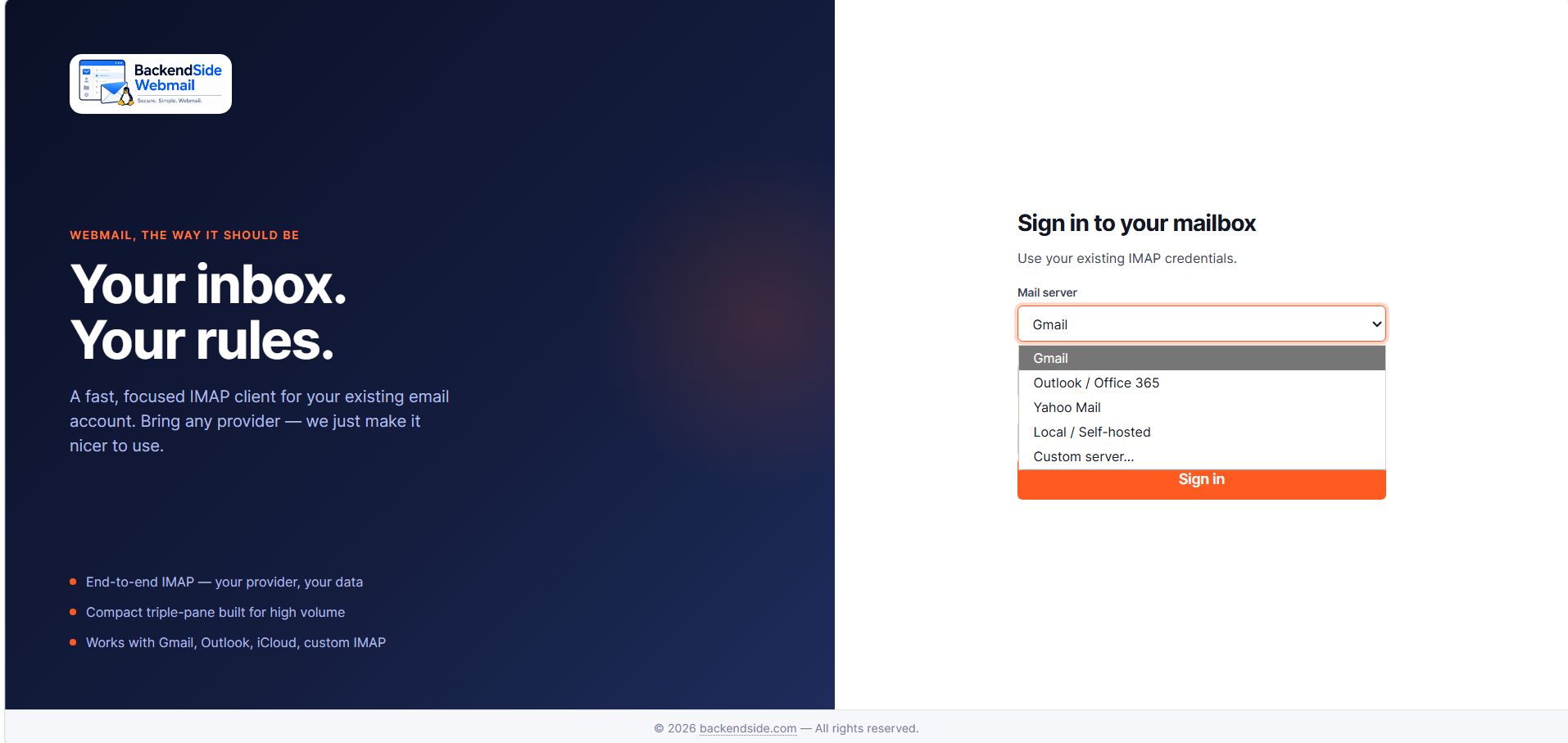
Provider dropdown — Gmail, Outlook, Yahoo, Local, or Custom
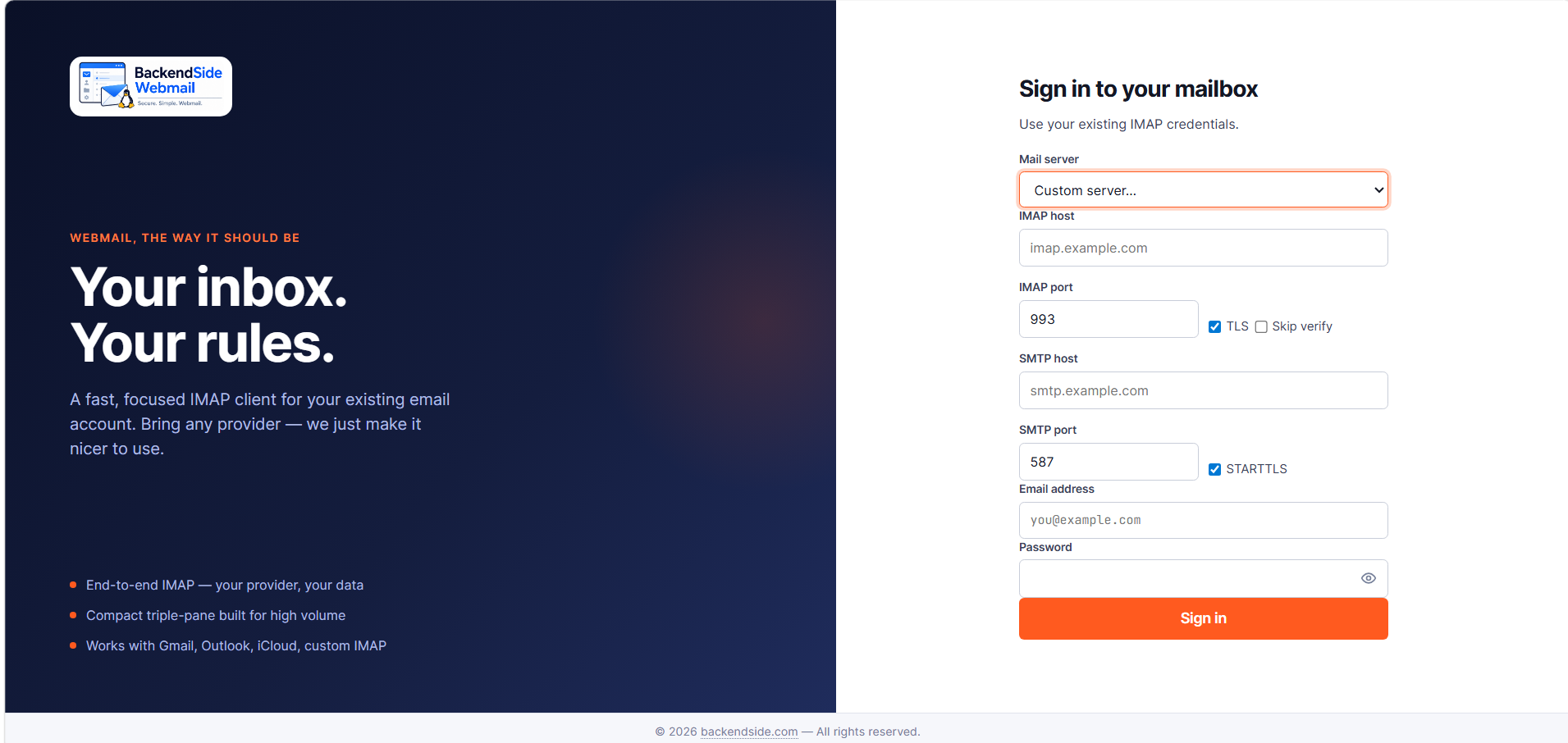
Custom server — IMAP / SMTP host, port, TLS, STARTTLS, skip-verify
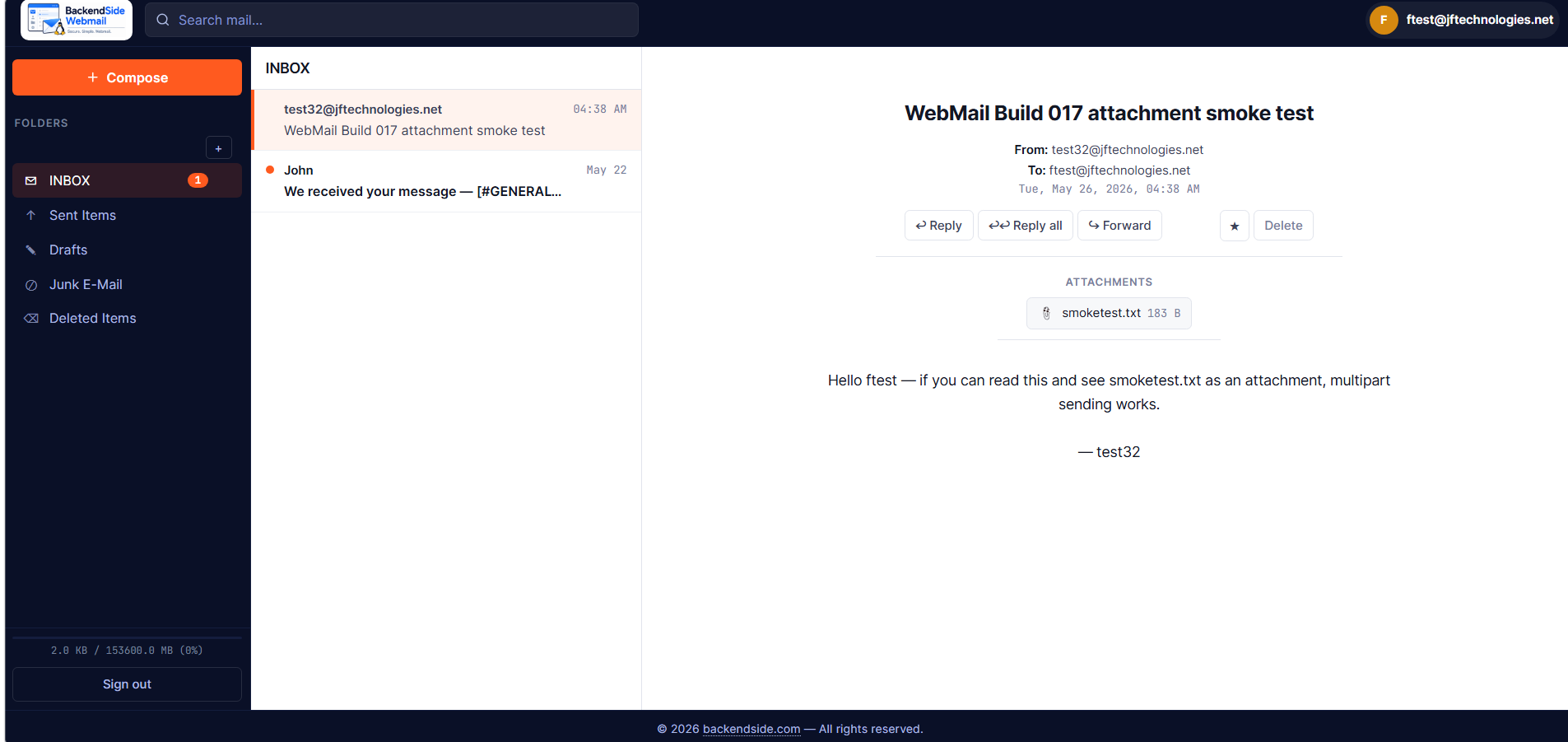
Three-pane mail client — folders, message list, message with attachment
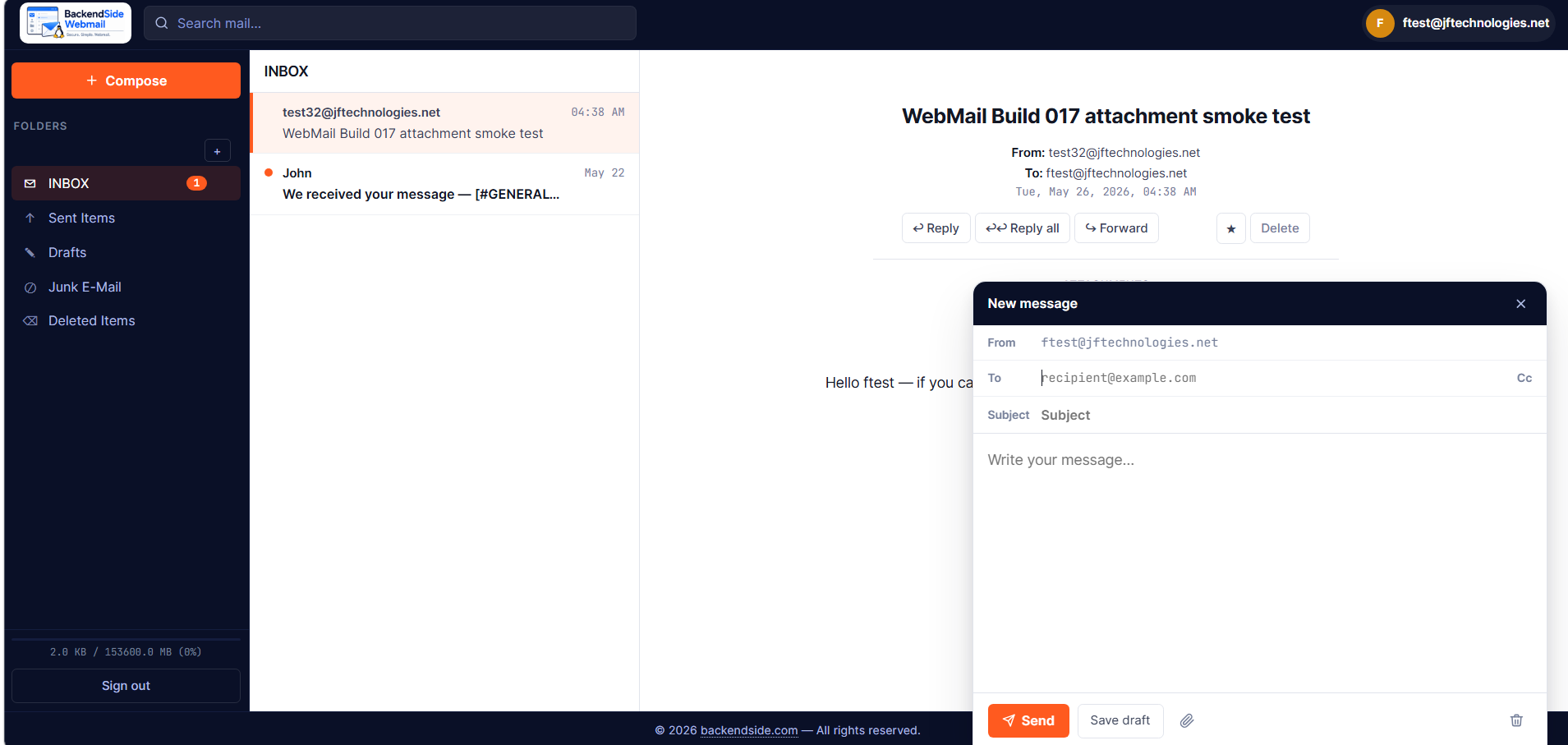
Compose — floating popover with To / Cc, subject, paperclip, send / draft