
BackendsideFTP – FTP, FTPS & SFTP Client for Windows
A free, modern file transfer client for power users — connect to many servers at once in tabbed sessions, transfer over FTP, FTPS and SFTP, drag files between your computer and the server in both directions, and watch everything in one unified transfer queue with live progress, speed and pause / resume.
Download Desktop Version 3.0.1
Free on the Microsoft Store — no subscription, no ads.

Features
🗂️ Multiple Sessions in Tabs
Open as many servers as you like at the same time, each in its own tab with its own dedicated worker. Switch between connections instantly while transfers keep running in the background.
🔒 FTP, FTPS & SFTP
Connect over plain FTP, FTPS with explicit or implicit TLS encryption, or SFTP over SSH — all in one client. Authenticate with a password or an SSH private key, with friendly, plain-English messages when a connection fails.
📊 Unified Transfer Queue
Every upload and download lands in one shared queue shown as a tree — folders with their child files nested underneath. Live progress bars, real-time speed, and rolled-up totals on parent folders let you see the whole job at a glance.
⏯️ Pause, Resume, Cancel & Retry
Take control of any transfer in the queue. Pause and resume picks up where it left off, failed transfers retry automatically with backoff, and a configurable concurrency cap keeps things from overwhelming the server.
🖱️ Drag-and-Drop Both Directions
Drag files and folders from your computer to the server to upload, or from the server to your computer to download. Multi-select and whole-folder transfers are recursive — drop a folder and the entire tree comes along.
🗄️ Saved Site Manager
Save site configurations — hostname, port, username, password, default remote directory, protocol, and Active/Passive mode — and reconnect in one click. Passwords are encrypted on disk; per-site settings override your global defaults.
⚡ Quick Connect
Connect instantly by entering host, port, username and password without saving a full profile. The port auto-fills from the protocol you pick (21 for FTP, 990 for implicit FTPS, 22 for SFTP), and a custom port you type is always respected.
🛡️ Host-Key & Certificate Trust
SFTP connections verify the server's SSH host key against a known-hosts store, and FTPS connections verify the TLS certificate — with a clear Trust once / Trust always / Reject prompt the first time, and a warning if a fingerprint ever changes.
🔑 File Permissions (CHMOD)
View and change Unix file permissions from a visual editor — read, write and execute checkboxes for Owner, Group and Public, with the resulting octal mode shown live as you click.
🗃️ Remote File & Folder Management
Browse remote directories, create folders, rename files, and delete files or entire folders (with recursive deletion and a confirmation prompt before anything is removed) — all from a right-click context menu or toolbar.
🔐 Encrypted Credential Storage
Saved site passwords are protected with Windows encryption tied to your user account — your credentials are never written to disk in plain text.
🕑 Transfer History & Speed Limit
A persisted history keeps a record of your recent completed transfers across launches. An app-wide speed limit lets you cap bandwidth so transfers don't saturate your connection.
🔄 Auto-Reconnect & Keep-Alive
A live session that drops unexpectedly reconnects on its own with exponential backoff and restores the folder you were browsing. Keep-alive pings stop idle sessions from being dropped by the server's timeout.
🌓 Light & Dark Themes
A clean, modern interface with native Windows file and folder icons in both panes. Switch between light and dark themes from the toolbar — your choice is remembered, along with your window size and layout.
📝 Activity Log with Verbosity Control
Every command sent and reply received is recorded. Dial the detail up to a full protocol transcript when you need to diagnose a tricky connection, or keep it quiet for everyday use — and open the log folder in one click.
⌨️ Tray & Keyboard Shortcuts
Minimize to the system tray and restore with a double-click. Keyboard shortcuts speed up the essentials — new session, Site Manager, upload the selected file, and close the active tab.
Screenshots
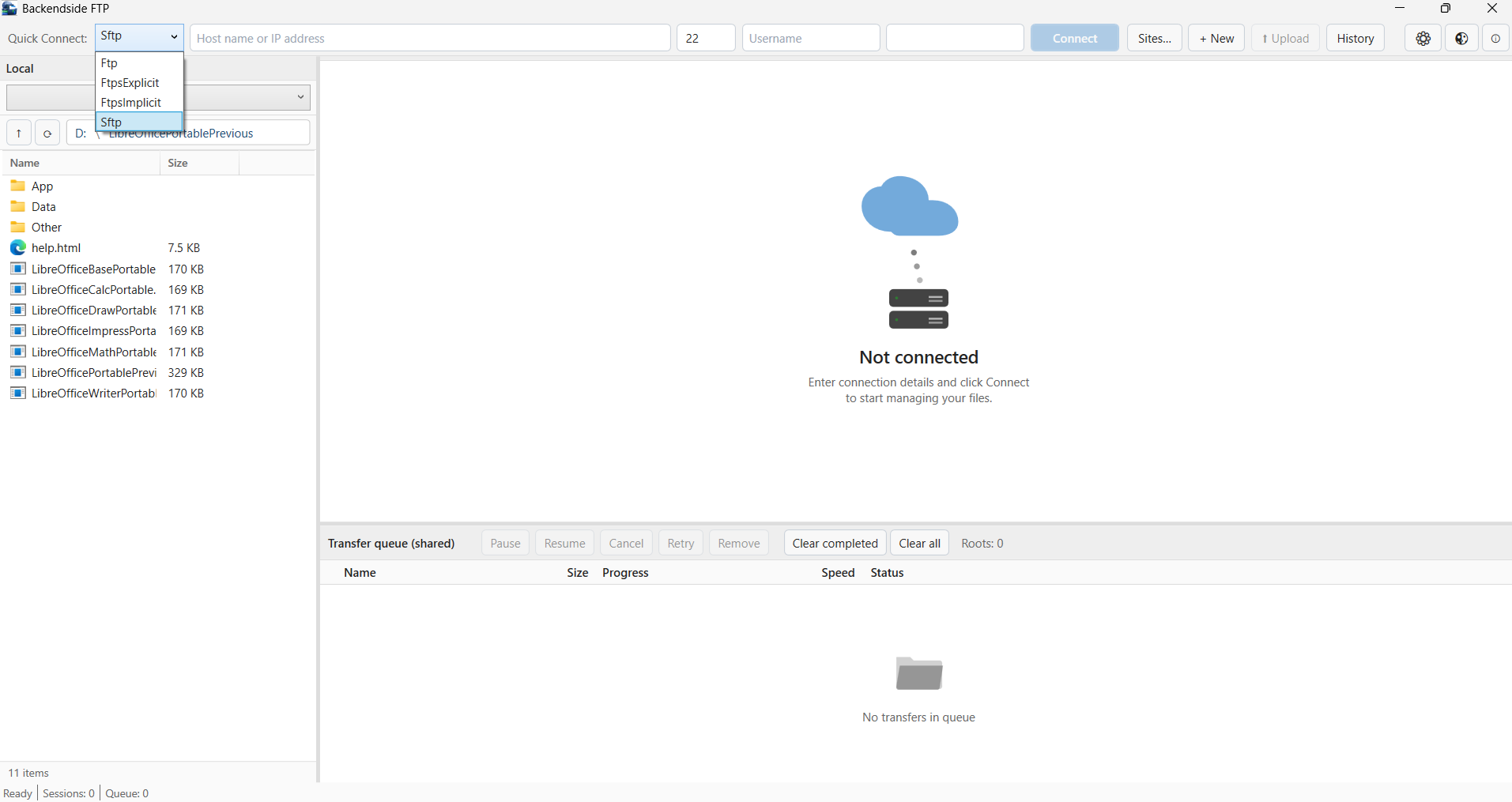
Main Application Interface
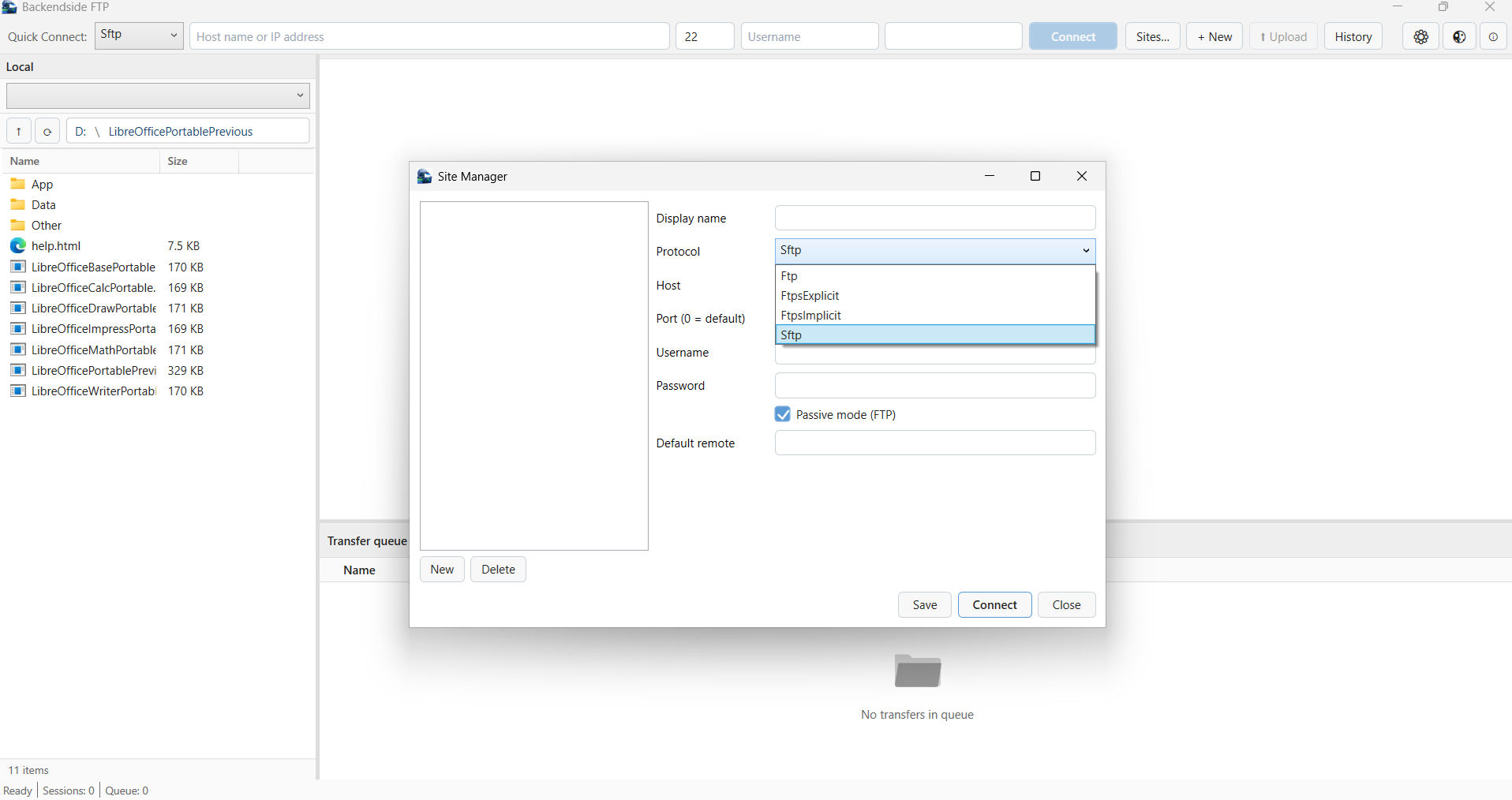
Multi-Session Tabs & Remote Browser
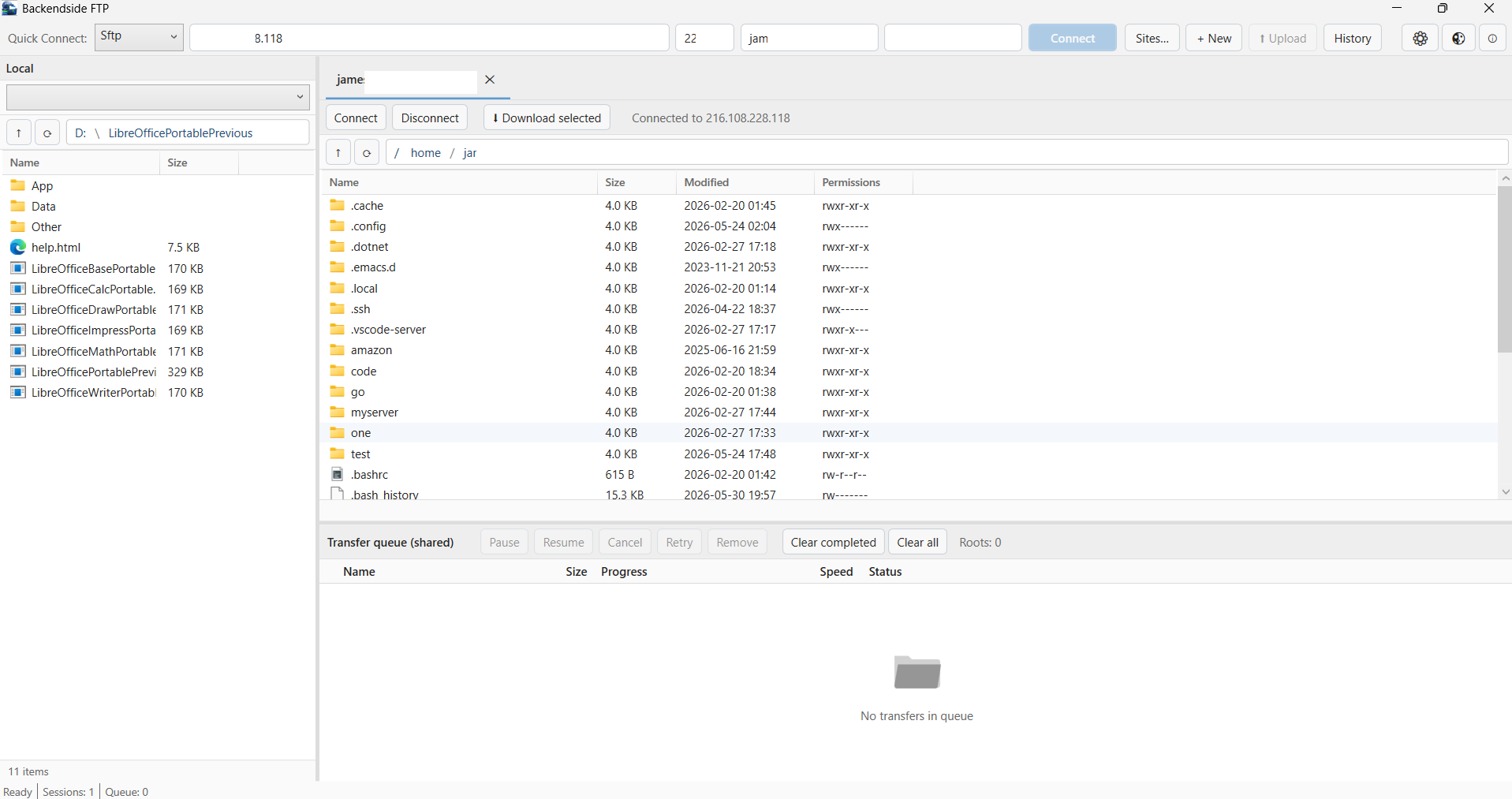
Unified Transfer Queue with Live Progress & Speed
Latest Release
Version 3.0.1 — June 2026
Complete redesign — tabbed multi-sessions, added FTPS & SFTP, unified transfer queue with pause / resume, drag-and-drop both ways, host-key & certificate trust, light / dark themes, and more.