
ExecutiveDesk – Private, Native PDF Workbench for Windows
The complete PDF toolkit that runs entirely on your own machine. Read, organise pages, mark up, fill and build forms, convert, compress, protect and truly redact, run OCR over scans, and work through a whole folder in one go. No file ever leaves your device, there’s no account and no cloud, and it’s free to use with every tool available — a one-time Pro purchase simply removes the footer band from saved files. Built for anyone who handles sensitive documents: legal, finance, healthcare, government, or simply anyone under an NDA.
Download Version 1.0.1
Available on the Microsoft Store — free to use, with an optional one-time Pro purchase. No subscription, no ads, nothing to sign up for.
Or view the listing at apps.microsoft.com.
Nothing is behind the paywall
Every tool described on this page works on the free version — annotation, forms, encryption, true redaction, OCR and the batch engine included. The only difference is that documents saved on the free tier carry a footer band across the bottom of every page, reading “Created with ExecutiveDesk”. A one-time Pro purchase removes it, and is remembered even when you start the app offline. There is no subscription and no feature to unlock.
Changelog — what’s new in each release
Full release history from the first Store release to 1.0.1 — a correctness pass covering work that could be lost, output that was quietly wrong on rotated pages and in forms, AES-256 encryption, and documents that open twice as fast.
View the full changelogUser Guide — every tool explained
A plain-English walkthrough of reading, editing pages, marking up, forms, converting, protecting and redacting, organising and batch processing — the keyboard shortcuts, and a straight list of what ExecutiveDesk does not do.
Read the User GuideFeatures
🔒 Private by default
ExecutiveDesk works 100% offline — no account, no cloud upload, no telemetry. Your PDFs are opened, processed and saved right on your machine and never leave the device. That is the real “executive” hook for anyone in legal, finance, healthcare, government or under an NDA.
📄 Your original is never changed
Every edit is made to a private working copy. The file you opened stays exactly as it was until you choose Save as — so you can experiment freely, and closing a document with unsaved changes always asks first. Crash recovery offers your work back next time you start.
👁️ Read & navigate
A tabbed reader — open several PDFs in one window. Page thumbnails down the left, single / two-page / continuous layouts, zoom, full screen, and search with a “3 of 17” match count. Select text by dragging and copy it straight out. Print the whole document or a page range.
🗂️ Page surgery
Rotate, delete, duplicate and reorder (drag a thumbnail, or move up and down); insert a blank page or pages from another PDF; replace a page; extract one to its own file; crop; set page labels (“i, ii, iii” then “1, 2, 3”); and resize to Letter, Legal, A4 or A3. Undo and redo up to 30 steps.
✏️ Mark up a document
Highlight, underline, strike through and squiggly; rectangles, ellipses, lines, arrows, a freehand pen, sticky notes, text boxes, callouts with a leader line and a measure tool — with colour, opacity and line width, and an eraser that removes individual marks, including ones already saved on the page.
💧 Watermarks, numbering & stamps
Diagonal text watermarks across every page, page numbers and legal-style Bates numbering with a prefix and fixed digit count, and headers and footers in six slots with tokens for page number, page count, date and document name. All placed correctly on rotated pages too.
🔐 Encrypt & truly redact
AES-256 encryption with an open password and an owner password governing print, copy, edit and annotate — and metadata encrypted along with the content. True redaction paints the marked area solid and rasterises the page, so nothing survives underneath to be copied out. Sanitize strips hidden scripts, embedded files, auto-run actions and metadata.
🛡️ Permissions that actually restrict
If the owner password matches the open password, everyone who can read the file holds owner rights and your restrictions mean nothing — a trap most tools let you walk into. ExecutiveDesk says so before you save rather than producing a document whose settings do nothing.
📝 Forms — fill and build
Fill every field in a document from one list, or draw new ones: text boxes, check boxes, radio groups, drop-downs, list boxes, buttons and signature fields. Reset a form, and export or import field data (XFDF) to reuse one set of answers across copies of the same form.
🗜️ Compress & convert
Low / Medium / High compression by re-encoding images — and ExecutiveDesk never hands back a file larger than the original. Also pages to images, images to PDF, and text extraction to Word or plain text (text only — layout is not reproduced).
🔍 OCR for scans
Make searchable runs OCR over a scanned document and produces a PDF whose text can be searched and copied, with page-by-page progress and a Cancel button; Copy page text reads just the current page to the clipboard. English-language, and it runs entirely on your device.
⚙️ Merge, split, flatten & batch
Merge several PDFs, split every page to its own file, and flatten marks and form values into the pages. Batch processing applies one operation — compress, watermark, page numbers, convert to images or merge — across a whole list of files, and never overwrites existing output.
🗄️ Bookmarks, attachments & properties
Name a place in a document and jump back to it, carry any file inside the PDF and extract attachments again, and edit title, author, subject, keywords and creator — the housekeeping that keeps a document library tidy and correct.
💳 One payment, not a subscription
The free version is free forever and holds nothing back. Pro is a single one-time purchase that removes the footer band from saved documents — no monthly fee, no renewals, no “pay to keep your files”. Your purchase is remembered even when you start the app with no internet connection.
.pdf, appears in Windows’ Open with, and can be set as your default PDF reader.
Common Uses
⚖️ Preparing a document for disclosure
Redact what must not leave the building, sanitise the hidden scripts and metadata, apply Bates numbering across the set, and encrypt the result — without a single page passing through anyone else’s server.
📦 Taming an oversized PDF
Compress one file before emailing it, or run a whole folder through the batch engine at once — with a guarantee that no output comes back larger than the file it came from.
🖨️ Making a pile of scans usable
Run OCR over scanned paperwork so it can be searched and copied, then annotate, add page numbers and merge the lot into one document you can actually find things in.
📋 Sending the same form to twenty people
Draw the fields once, fill a master copy, export the answers as XFDF and load them into each copy — then flatten the finished ones so the values become fixed page content.
Screenshots
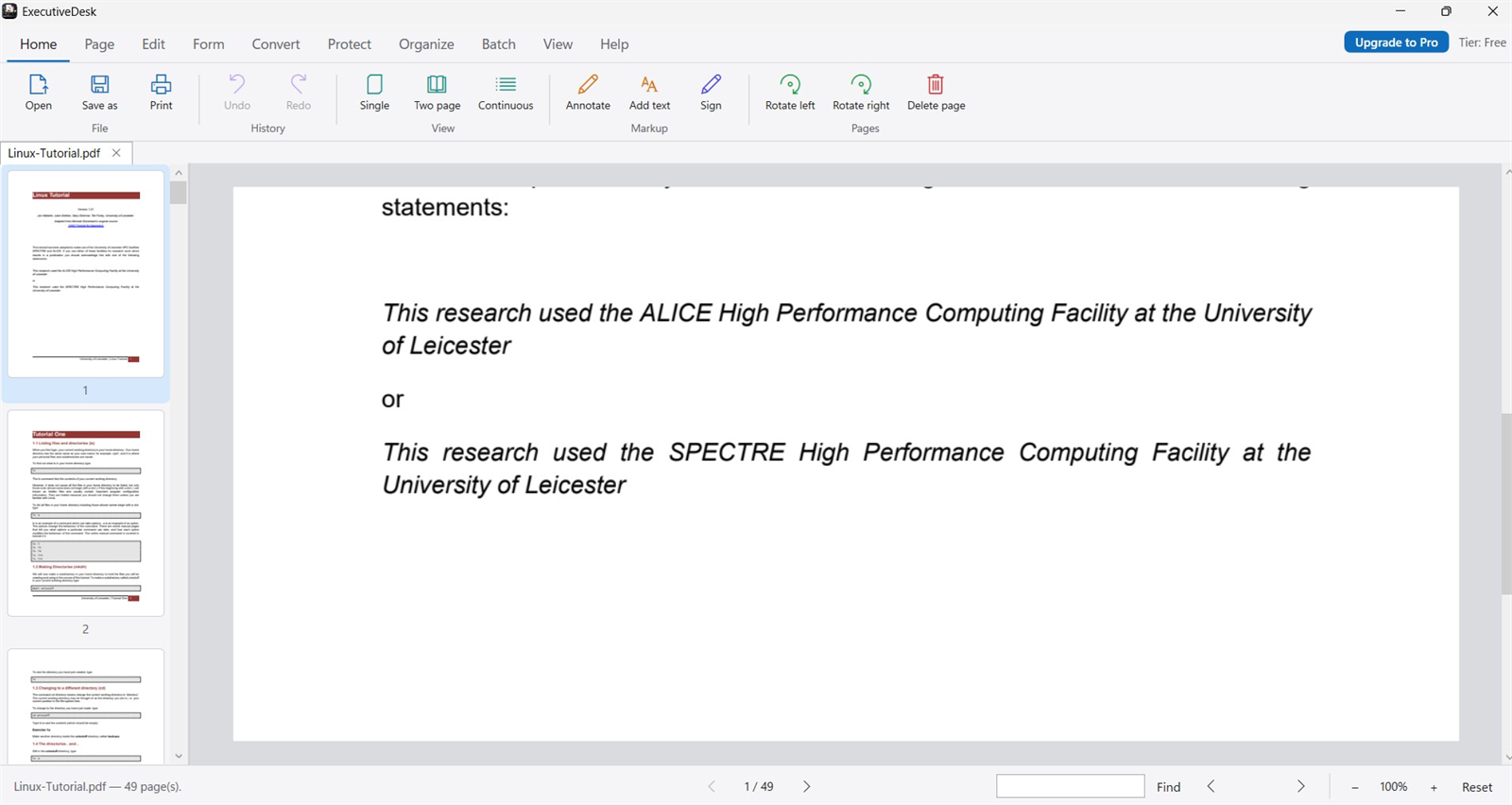
Reading a PDF — tabbed viewer with thumbnails, search and zoom
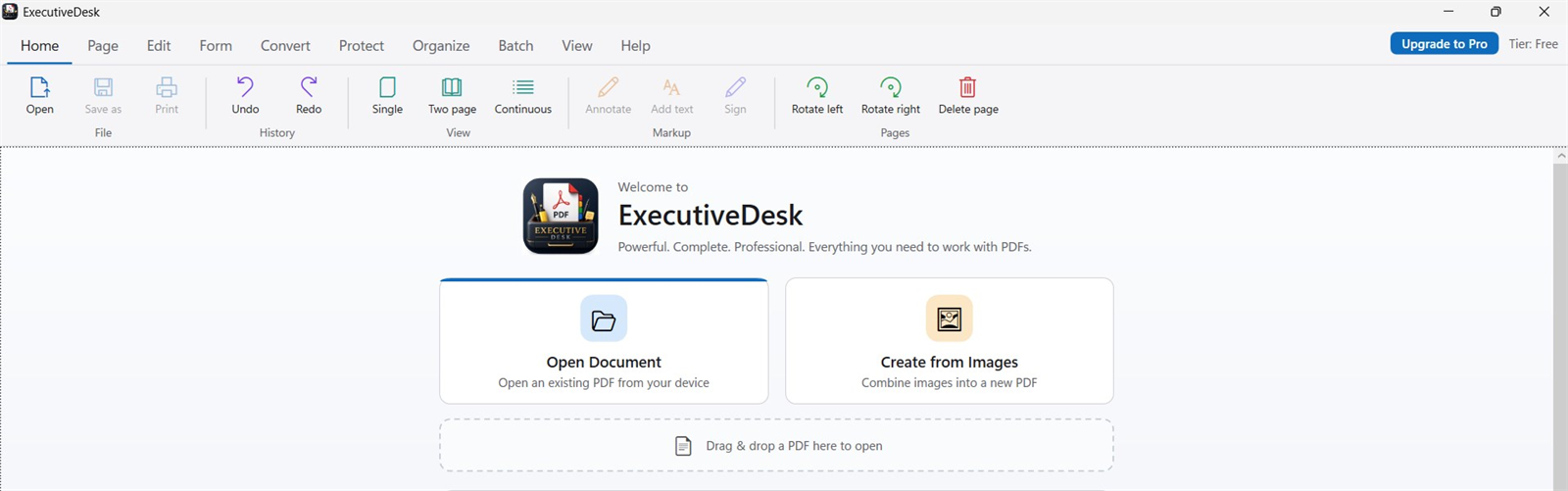
The home screen — open a PDF or build one from images, with the full toolbar on top
Latest Release
Version 1.0.1 — September 2026
A correctness pass over the whole app: work that could be lost to an undo, check boxes that never appeared ticked in any viewer, stamps that ran down the side of a rotated page, and a Store hiccup that could put the free-tier footer on a paid save. Encryption moved to AES-256, opening a long document is about twice as fast, and PDFs open directly from File Explorer.